Helpdesk
A helpdesk that knows what every case is waiting for.
Email and chat in one inbox, AI that answers what it knows and hands the rest to a person, and reports that come from the conversations instead of tags. We set it up with you.
Not better in 90 days? Your subscription back.
- 1Tickets pile up
- 2AI takes action
- 3Asks a teammate
- 4Customer answered
- 5Results
Read as text
- Your queue never sleeps. Refunds, returns, bookings and “where's my order?” pile up faster than your team can answer.
- Meet the agent that clears it. Replyful's AI agent picks up a ticket the second it lands.
- It doesn't just reply. It resolves. Finds the order, checks your policy, reviews the photo. In seconds.
- And it knows when to ask. Outside your rules? It checks with a teammate first. One click to approve.
- Refunded in under a minute. Customer happy. Ticket closed. Nobody on your team broke a sweat.
- Now picture every ticket. Cancellations, delivery bookings, order tracking, billing. Anything tricky goes to your team.
- Faster replies. Happier customers. Calmer team. And numbers your CEO will love.
- Give your team its time back. An AI agent that resolves refunds, cancellations and bookings, and asks for help when it should.
What it does
Built around the questions a head of support asks.
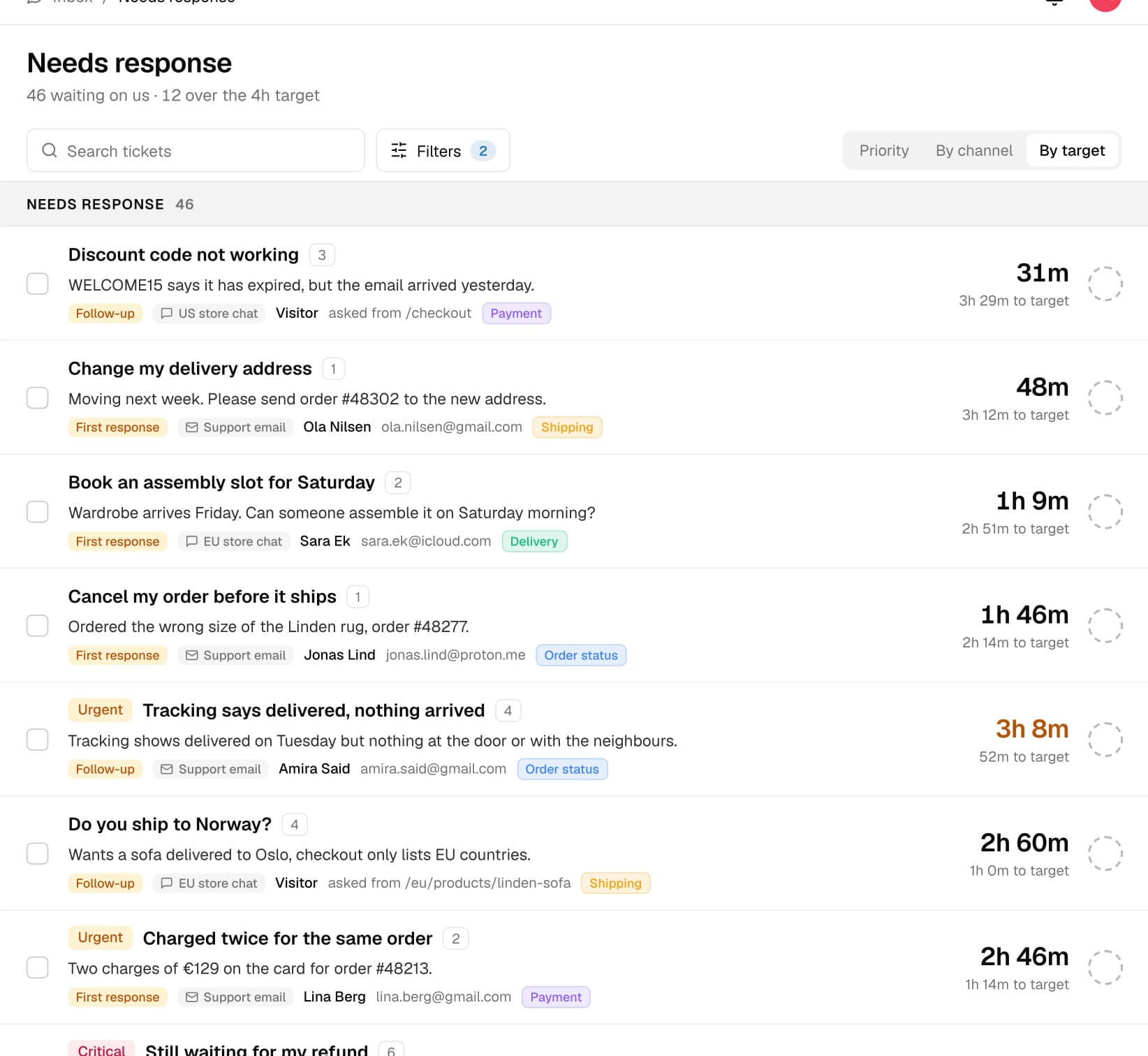
Every case knows who it's waiting for
Reply to the customer and the case waits on them. Email a supplier in a side conversation and it waits on the supplier. Time in each stage is measured, and nobody sets a status. On Pro.
Urgent first, without triage
The AI scores urgency on every incoming case, so the ones that can't wait rise to the top. On Pro it also sorts cases into your topics.
AI on your terms, per inbox
Off, drafts a person approves, or autopilot that replies when it has the facts and hands over when it doesn't. You choose per inbox. The email AI comes with AI assist on Pro.
SLAs per customer account
Group contacts into accounts and set response and resolution targets per account, inbox, urgency or tag, in business hours with holidays. On Pro.
Getting started
We set it up with you.
- 01
Connect your inboxes
Google Workspace, Microsoft 365 or forwarding, plus the chat widget with one snippet. As many inboxes as you need.
- 02
Teach the AI
It learns from your website, help articles, Q&As and files, and answers only from them.
- 03
Measure from day 7
From day 7 you have a baseline: response times, SLAs and how much the AI solved.
Helpdesk questions
What to expect from a Replyful inbox.
See what every case is waiting for.
Not better in 90 days? Your subscription back.