What email automation actually looks like
Built so you stay in control of what gets sent — and what gets a human's eye first.
Off, approval, or autopilot
Three AI modes
Pick per email channel: humans only, AI drafts for a human to send, or AI sends routine replies automatically.
No hallucinations
Knowledge-grounded answers
AI only replies from your knowledge base. Unsure? It escalates to a human with the question and context attached.
Context before you reply
AI contact summary
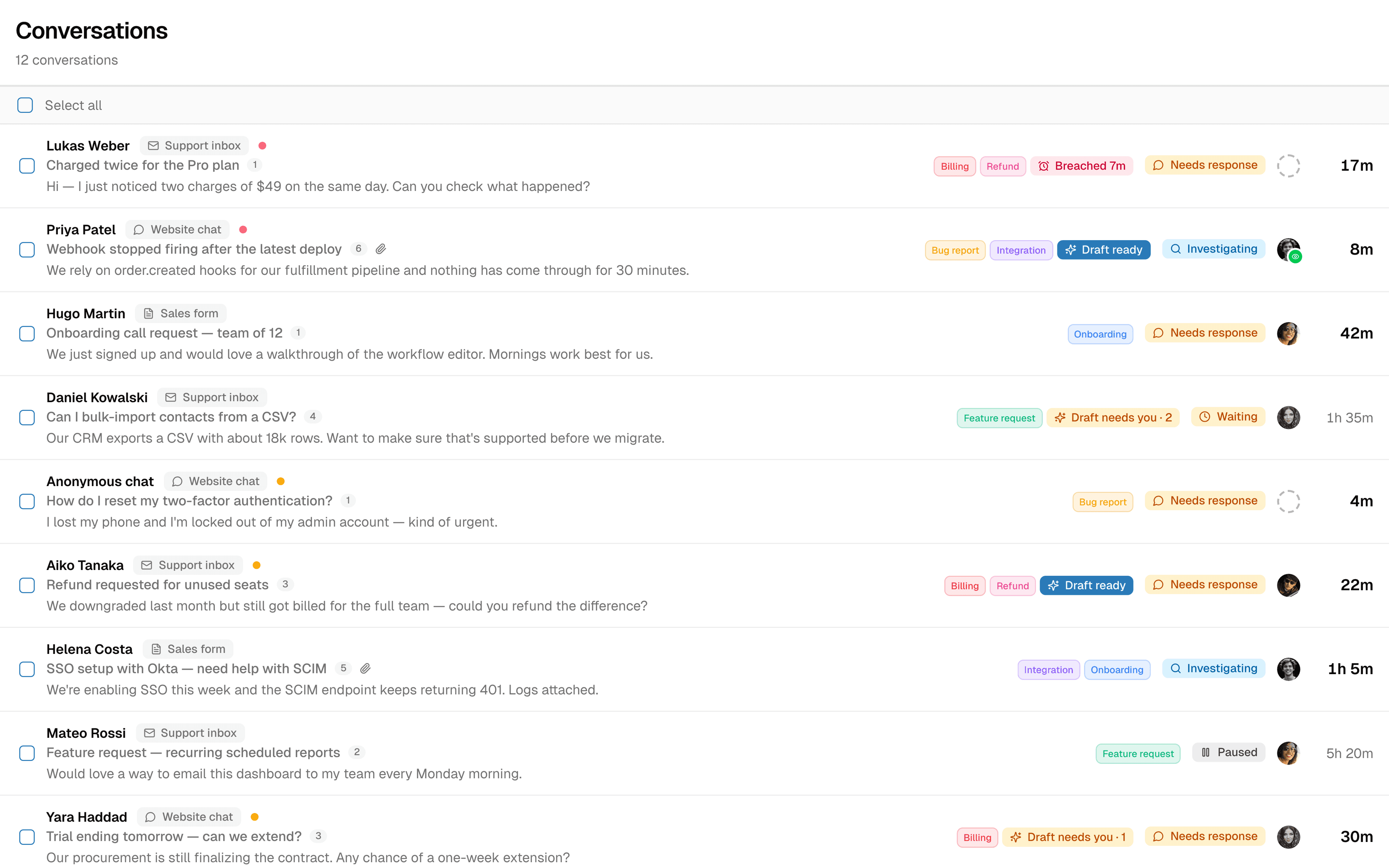
Agents see an AI summary of the contact, their recent conversations, and what they're asking — the moment they open the ticket.
Send from your own domain
White-label sender
Configure SPF, DKIM, and DMARC so outgoing replies come from your domain, not ours.
Customer-specific answers
Bring your own API
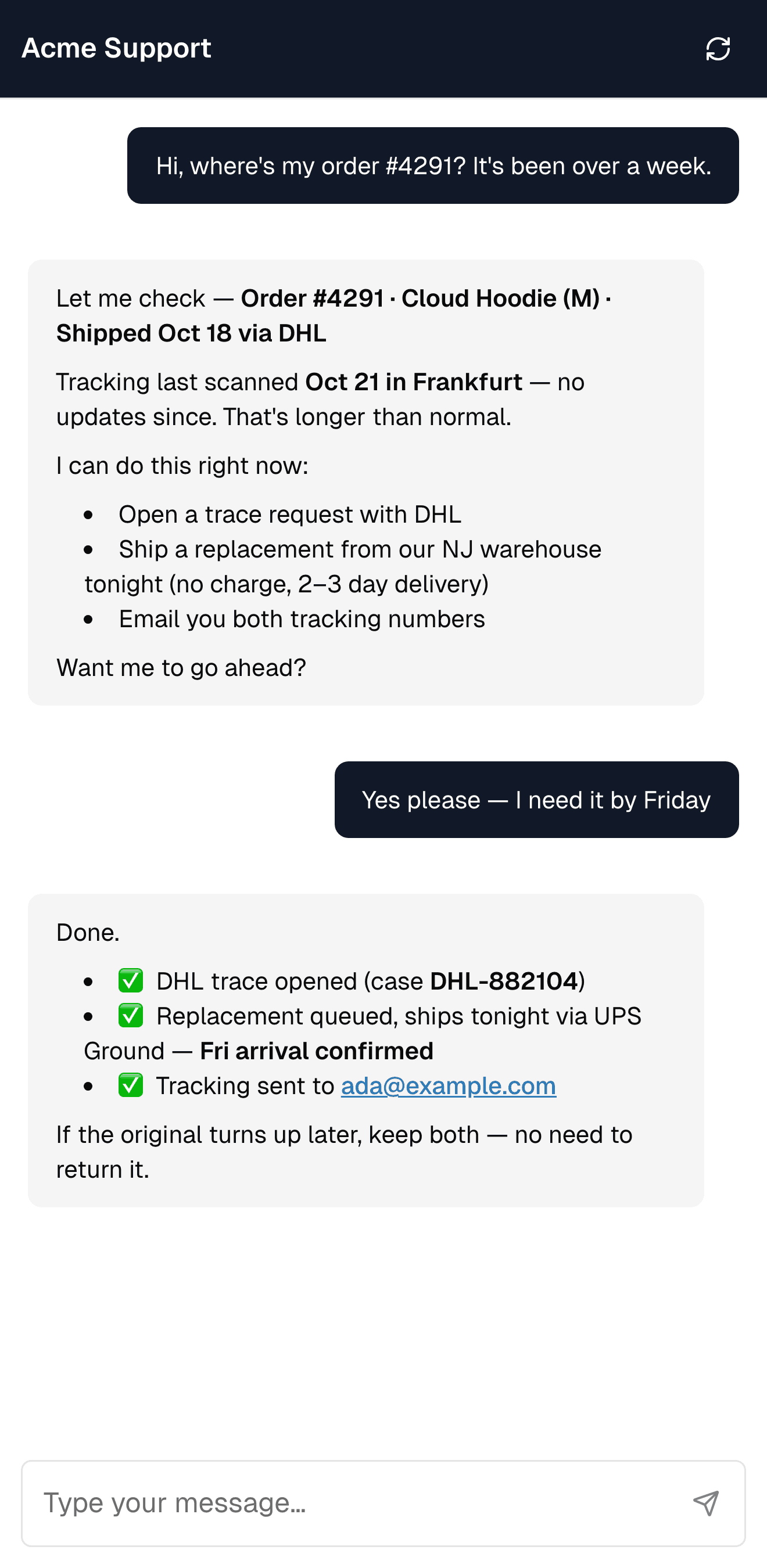
Connect internal APIs — order status, account info, booking details — so AI can answer with real data.
50+ languages, automatic
Multilingual
AI auto-detects the customer's language and replies in kind. No per-language setup.
You decide how much AI does
Most tools force all-or-nothing automation. Replyful gives you three settings per email channel — and you can change them any time.
Off
Humans only. AI stays out of the way. Useful for sensitive channels or while you're testing.
Approval
AI drafts a reply for every email. An agent reviews, edits if needed, and sends. Faster handling without giving up control.
Autopilot Pro
AI sends routine replies automatically with a configurable delay. Low-confidence emails still escalate to a human draft.
Drafts that show their work
Every AI reply ships with the sources it used and a confidence score. Approve, edit, or regenerate.
- Sources from your knowledge base and connected APIs
- Confidence score so you know what's safe to send
- One-click approve, edit, or regenerate
From mailbox to autopilot in minutes
Connect, configure, and your inbox starts handling itself.
Connect your mailbox
Forward support@ or set up our SMTP relay. Optionally configure SPF, DKIM, and DMARC for white-label sending.
Set the AI mode
Choose off, approval, or autopilot per channel. Adjust autopilot's reply delay and confidence thresholds.
AI handles it — or escalates
Routine email goes out automatically. Anything AI isn't confident about lands in a human's inbox with the draft already written.
Email is one channel — the inbox handles them all
Email automation feeds into the same shared inbox as your AI chatbot and live chat. One context, one history, one platform.
GDPR certified
Fully compliant with EU regulations
Email that doesn't leave Europe
Inbound and outbound mail processed entirely inside the EU. Encryption at rest and in transit.
100% EU data residency
Email content, AI processing, and storage all inside the EU. No data leaves Europe.
GDPR by design
DPA available on request. Configurable retention. Right to erasure supported.
Authenticated sending
Outbound mail signed with SPF, DKIM, and DMARC. Send from your own domain.
Email automation questions
What to expect when AI handles your support inbox.
Ready to take the routine off your team?
Book a 20-minute demo. We'll set up email autopilot for one of your channels and show you exactly how it behaves.